
Practical guides
Start your first Pipping reset
Open Nest and choose “Start a 30-second reset.” You can try a free pause without buying Pip Plan.
App instructions and features describe the release candidate. Public App Store release is pending.
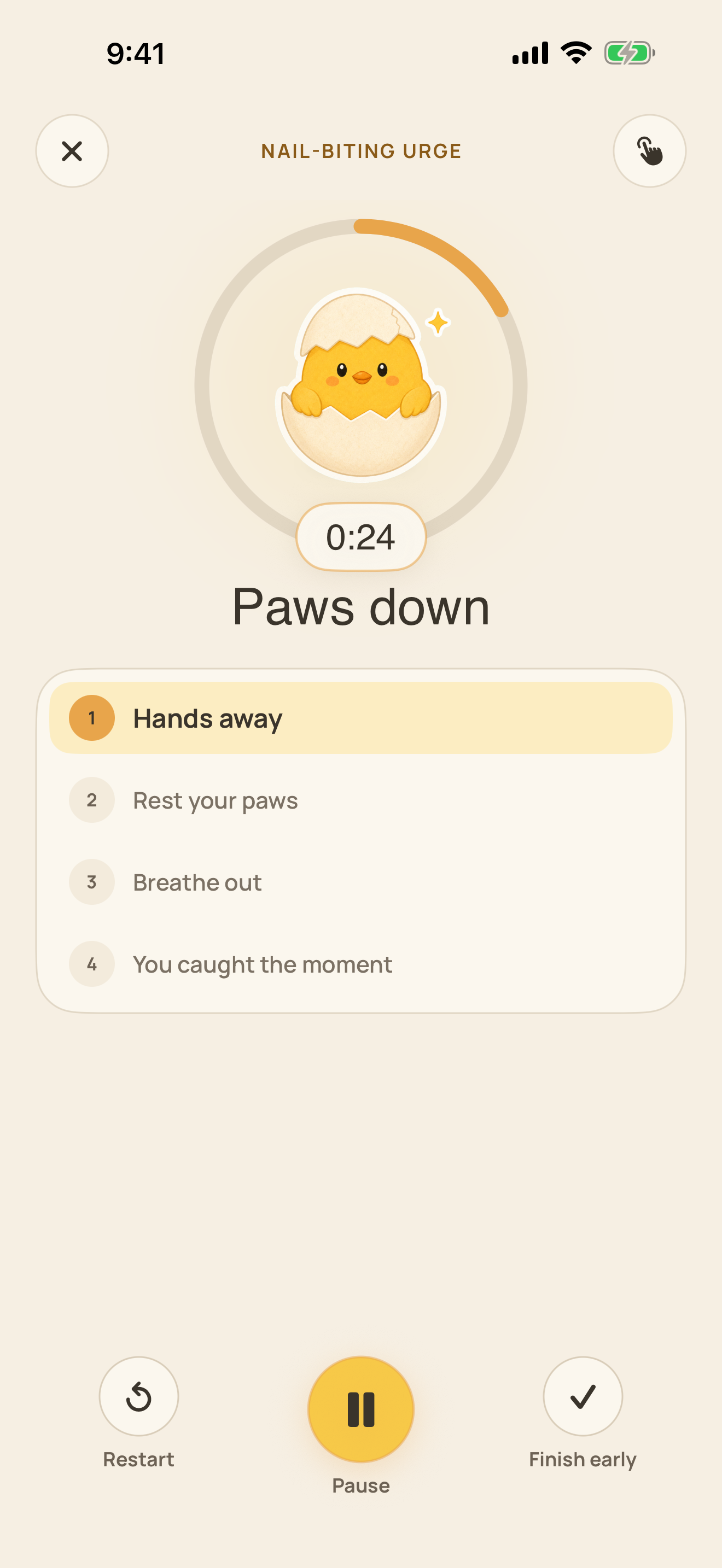
From Nest to a small pause
- Complete onboarding, or open the existing Nest.
- Tap “Start a 30-second reset.”
- Read the action instructions and begin when you are ready.
- Follow the comfortable hand action. Stop if it causes discomfort.
- Answer the short check-in honestly, or use the available skip option.
What completion means
Completing a reset records a pause. It does not prove that an urge disappeared or that a habit changed.
If this action did not fit, open Toolkit and explore another reset. The six resets remain free.
If the screen differs
These instructions follow the English 1.0.0 release candidate source. The app is not publicly available at this review date.
A fresh walkthrough of the eventual public release is still required.
Reviewed October 2, 2026. Prepared by Joao Vitor Humenhuk Achutti.
App details follow the English 1.0.0 release candidate source. These pages are not a new installed-app walkthrough.